Beyond Enemy Lines 2 Update 7 - PLAZA + Burning Sand DLC
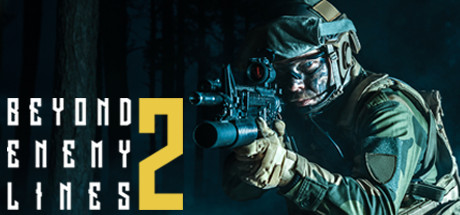
- PLAZA
- Update 7 + DLC
- FREE DOWNLOAD
- TORRENT
Game updated on 29-11-2019, 14:50. Current version / latest version: Update 7 + DLC.
Table of Contents
About The Game
Beyond Enemy Lines 2 is an interesting non-linear first-person shooter in which you play the role of an operative sent to Abkhazia at the moment when the war begins. Communication with Abkhazia was lost, an attack was made on her, and the satellites are not yet ready to transmit data about what is happening. The base needs eyes in place, and moreover, you need to at least slightly prevent the enemy from achieving his goals. So you’ll do this — in the role of a special operative you will have to get into the territory of the district and try to find out what is happening there, and at the same time wreak havoc and fear in the ranks of the enemy.The gameplay in Beyond Enemy Lines 2 is quite simple and based on traditional mechanics for the shooter. You will kill enemies, engage in sabotage activities, perform various missions, wreak havoc in the catacombs and on the surface of the earth, penetrate into protected areas and beyond. And all this will be accompanied by shooting at enemies, exciting battles and stealth.
The most important advantage of this game is complete freedom. You will only be given tasks that you can perform as you want. For example, you can go on a frontal attack and start shooting the enemy directly, or you can hide behind shelters and shoot with him in unequal battles, and if you want, you can try and complete the task using stealth.
Another advantage is the variety of weapons. At your disposal will be 20 varieties of realistic weapons, from pistols to cool sniper rifles, and each weapon you can customize as you see fit, using stocks, sights, silencers and flame arresters, and much more. And you are waiting for huge open locations with a well-thought-out landscape and smart opponents.
This release is standalone and includes the following DLC:
- Beyond Enemy Lines 2 — Covert Strike
- Beyond Enemy Lines 2 — Tank Base
- Beyond Enemy Lines 2 — Harbor
- Beyond Enemy Lines 2 — GOD
- Beyond Enemy Lines 2 — Harbor
- Beyond Enemy Lines 2 — Burning Sand
System Requirements
MINIMUM:
Requires a 64-bit processor and operating system
OS: Windows 7 (64bit)
Processor: Intel Core i5-2500K CPU
Memory: 6 GB RAM
Graphics: Geforce GTX 770 or AMD Radeon R9 290
DirectX: Version 11
Network: Broadband Internet connection
Storage: 50 GB available space
Additional Notes: Estimated requirements, might change until release.
RECOMMENDED:
Requires a 64-bit processor and operating system
OS: Windows 10 (64bit)
Processor: Intel Core i7 4790k CPU
Memory: 12 GB RAM
Graphics: Geforce GTX 1070 or AMD Radeon R9 590
DirectX: Version 11
Network: Broadband Internet connection
Storage: 50 GB available space
Additional Notes: Estimated requirements, might change until release.
Requires a 64-bit processor and operating system
OS: Windows 7 (64bit)
Processor: Intel Core i5-2500K CPU
Memory: 6 GB RAM
Graphics: Geforce GTX 770 or AMD Radeon R9 290
DirectX: Version 11
Network: Broadband Internet connection
Storage: 50 GB available space
Additional Notes: Estimated requirements, might change until release.
RECOMMENDED:
Requires a 64-bit processor and operating system
OS: Windows 10 (64bit)
Processor: Intel Core i7 4790k CPU
Memory: 12 GB RAM
Graphics: Geforce GTX 1070 or AMD Radeon R9 590
DirectX: Version 11
Network: Broadband Internet connection
Storage: 50 GB available space
Additional Notes: Estimated requirements, might change until release.
Screenshots


Gameplay Trailer
How to Install
- Download the Full game Beyond.Enemy.Lines.2.Burning.Sand-PLAZA through torrent.
- Mount the Full ISO-image game in the «UltraISO».
- Install the game on you PC, wait for 100% installation.
- Copy all files of the folder «PLAZA» in game folder.
- Lock the game folder in the Windows firewall.
- Play!
Download DLC only: Beyond.Enemy.Lines.2.Homecoming.DLC-PLAZA [ 10.9 MB ]
Download Beyond Enemy Lines 2 Update 7 - PLAZA + Burning Sand DLC
SIZE: 20 GB | Downloads: —
How to get your file — 3 quick steps
VPN detected. Our download does not accept VPN connections. Please disable your VPN to continue.
Re-check
1
Click download
Use any button below
2
Install Opera
On the page that opens
Switch to the tab that just opened — Opera installer is already there. After install, open this page in Opera and click Check install.
Opera not detected. Make sure it's installed and open this page in Opera browser, then click Check install again.
Opera is a free, official browser by Opera Software AS — safe to install. [ Opera Install Guide ]
Alternative Mirrors
Searching mirrors…


Comments 0