Spellz v7.3
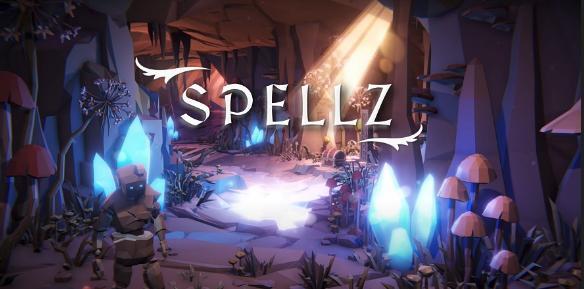
- 7.3
- FREE DOWNLOAD
- TORRENT
Table of Contents
About The Game
Spellz — is a role-playing game from a 16-year-old developer, which he has been working on for over a year. Become a mage, arm yourself with your favorite spells and fight. This is a new development in the RPG genre, with a view of the camera from above, which allows you to immerse yourself as much as possible in the process of playing and destroying the enemy. Enemies will be enough to spend several hours in the gameplay. The game is still not completely finished, this means that there may be some glitches and errors, but at the moment it can have a pre-release state. There are regular updates that bring many changes and improvements. Stay motivated and discover all the Spellz universes and their secrets. A true hero never gives up.
This release Spellz v7.3 updated:
- New commands menu.
- New overlay controls display.
- Random animations on enemies.
- New key display system.
- New camera position and orientation.
- New random death sentences.
System Requirements
OS: Windows 10
Processor: i5 Dual Core
Memory: 8 GB RAM
Graphics: GTX 970 or similar
DirectX: Version 10
Storage: 5 GB available space
Additional Notes: Requirements are temporary and will most likely change up until launch (for the better)
Screenshots


Gameplay Trailer
How to Install
- Download the game files through torrent.
- Run the installation file «[gamename].setup.exe», follow the instructions.
- Choose a place on the disk, where the game will be installed.
- Wait for the notification that the game is installed.
- Сlick on the label of the game, Play!



Comments 0